6 Best Paypal Alternatives for Nonprofits: An Honest Comparison
PayPal works fine for accepting a payment—if all you need is a way to drop a button on your website and start collecting donations. But using PayPal as your only fundraising solution leaves a lot of money on the table and cause administrative headaches.
You lose donor branding. You can’t track donor data properly. And you certainly don’t get the tools you need to grow monthly giving or run real fundraising campaigns.
For very small nonprofits just getting started—those raising less than $10K a year with no budget—PayPal can be a quick starting point. But if you’re serious about sustainable fundraising long-term, you need more.
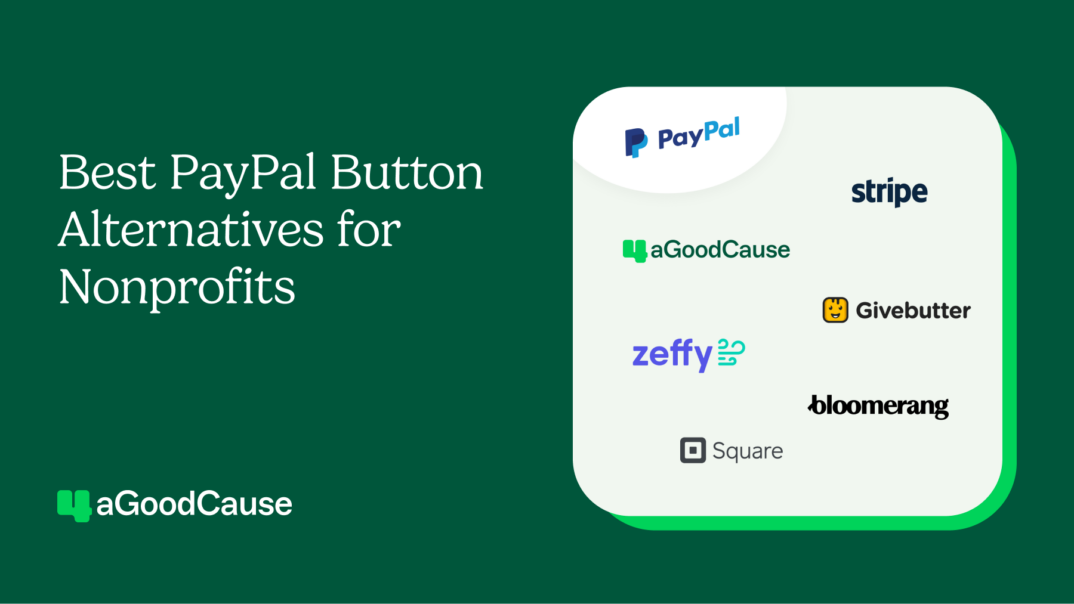
This guide covers six PayPal alternatives built for small to midsize nonprofits that are ready to move beyond basic payment buttons and start building real donor relationships and recurring revenue.
✋ Important note:There are no affiliate links in this article. I wasn’t paid to review these platforms. While I do share how 4aGoodCause stacks up (yes, that’s the platform my team and I built), this guide aims to help you make the best, most informed decision for your mission.
Free expert-created Nonprofit Growth Kit
Sign up to receive your fundraising growth toolkit—complete with donation page optimization checklists, impact story templates, and ready-made slides.
Why small to midsize nonprofits look for PayPal alternatives
Before we explore alternatives, let’s talk about how nonprofits typically use PayPal—and why it falls short for serious fundraising.
There are really two ways small nonprofits use PayPal by itself:
1. PayPal donate button: You get a business PayPal account, grab your donate button code, drop it on your website, and donors click through to PayPal’s checkout. Donations go into your PayPal account, and you can transfer funds to your bank.
2. PayPal Giving Fund: You link to your nonprofit profile under the PayPal Giving Fund—essentially a foundation that collects donations and disburses them to eligible 501(c)(3) public charities. There are eligibility requirements, and donors might get confused about whether they’re giving to PayPal or to your organization.
For brand-new nonprofits that have never taken a donation online before, using PayPal might be your first step. It’s easy—drop the code on your page and you’re accepting donations. But you’re not exactly fundraising; you’re just processing payments.
What PayPal does well:
Quick to set up: You can get a button on your site in minutes.
Familiar to donors: Many people already have PayPal accounts and trust the brand.
Nonprofit discount: PayPal offers nonprofit rates as low as 1.9% + $0.49 per transaction according to their website.
Why you might need an alternative
Weak branding and donor experience: Donors click your button and immediately leave your site for PayPal’s checkout. Your nonprofit branding disappears. Donors sometimes get confused and think they’re giving to PayPal itself, especially with the Giving Fund. As this Reddit thread notes, receipts are impersonal and robotic; you can’t customize them to say thank you in your voice.
Confusing transaction fees: The pricing model is frustrating for many users, especially when different fees are charged based on whether you are giving to the Paypal Giving Fund or directly to a nonprofit, as discussed on Reddit.
No donor data or CRM: PayPal is not a CRM. It’s a payment processor. Your donor information sits in PayPal somewhere, but you can’t track giving history, run reports, or manage relationships the way you would with actual fundraising software. You’re just taking payments.
Hard to run campaigns: You can create multiple donate buttons, but that’s clunky. If you want to set suggested amounts or run targeted campaigns, you’re creating new buttons and managing them manually. It’s a pain.
Monthly giving is confusing: PayPal’s recurring donation setup is not straightforward. It’s not clear how donors can sign up to be monthly givers, and the interface doesn’t make it easy.
Lower conversion rates: The checkout process isn’t optimized for nonprofit donations. You’re not getting the conversion rates you’d see with a donation page designed specifically for fundraising.
Account holds and verification issues: PayPal has a reputation for holding funds or freezing accounts when they see unusual volume or activity. Robert L. notes in a Capterra review that these “holds and delays on funds…[are] frustrating.” Terynne I. adds: “I really don’t like that PayPal can hold your funds with little warning.” For small nonprofits, this can create a lot of risk.
No donor tipping: There’s no mechanism for donors to help you offset processing fees like you’d get with platforms designed for nonprofit fundraising.
The reality is that if you’re only using PayPal, you’re doing it because it’s what was quickly available—not because it’s effective. You drop the code on your page and now you have a way to take a gift. But it’s weak for branding, donor experience, long-term fundraising, campaigns, and all the things that actually help you raise more money.
The good news? Most of the alternatives below let you still accept PayPal as a payment option, but within a much better fundraising experience… for you and your donors.
🌱Meaningful growth:Learn how Foreknown Ministries used 4aGoodCause to fundraise for a high-touch, grief-informed event serving families who had experienced pregnancy and infant loss.
The 6 best PayPal alternatives for small to midsize nonprofits
These six alternatives range from fundraising platforms to payment processors to CRM-focused tools—each serving different nonprofit needs.
The right choice for your nonprofit depends on your specific needs.
1. 4aGoodCause: Built for monthly giving and sustainable growth
I built 4aGoodCause specifically for nonprofit organizations that need a high-converting donation process, strong monthly giving tools, and predictable pricing.
Here’s the key: You can still let donors give via PayPal. It’s just another online payment option on your 4aGoodCause donation page. So you get all the benefits of PayPal’s familiarity—plus everything PayPal doesn’t give you.
4aGoodCause strengths:
Optimized donation pages: Built for conversions. (Our donation pages convert at 27% on average—more than double the industry benchmark—with nearly 100 best practices built in from day one.) They’re clean, branded, easy to navigate, and designed to turn visitors into donors. You can include PayPal as one of many payment methods without losing your branding.
Monthly giving toolkit: Everything you need to grow recurring revenue alongside traditional fundraising efforts, like events and annual campaigns—includes upgrade links, branded donor portals where supporters self-manage their giving, and donation forms designed specifically for monthly conversions.
Flat-rate pricing: No platform transaction fees. You pay a predictable monthly fee ($99, $249, or $429) based on how much you process annually, and you keep more of what you raise. As you grow, your costs stay the same.
Bring your own payment processor: Negotiate your own Stripe or Authorize.net rates and own your donor payment data. You’re not locked into one processor. You can also enable PayPal, Google Pay, and Apple Pay as additional options.
Built-in CRM: Track donors, manage campaigns, segment your database, and see who’s giving—without the complexity (or cost) of enterprise databases.
Personal support: You work with real humans who know your organization. No chatbots, no ticket systems—just people who care about your success.
Donor tipping goes to your nonprofit: Give donors the option to help offset processing fees—something PayPal doesn’t offer. At 4aGoodCause, all donor tips go directly to your nonprofit.
Limitations:
Not an enterprise CRM: We offer donor management essentials. If you need complex workflows for large nonprofit teams or donor bases, you might pair 4aGC with a dedicated CRM.
Not built for complex events: If you need mobile bidding, table assignments, and auction management, you’ll need event-specific software.
Compared to PayPal: PayPal is a payment button. 4aGC is a fundraising platform. You can still offer PayPal as a payment option on 4aGC pages—but you get better branding, donor experience, conversion rates, monthly giving tools, CRM functionality, and complete control of your donor data.
4aGoodCause Pricing: Starting at $99/month (process up to $50K/year), $249/month (up to $250K/year), or $429/month (unlimited). No platform fees. Payment processing fees still apply, but you can bring your own processor.
4aGoodCause user reviews:
Small nonprofits consistently highlight two things about 4aGoodCause: the platform delivers measurable results for monthly giving, and the personal support feels like working with a partner rather than a vendor.
Irene B. uses 4aGoodCause for “donor management, outreach, managing specific campaigns, and our year-round membership efforts.” She especially appreciates the personalized donor experience: “I like that it allows us to have a professional, public-facing digital presence without sending donors to an obvious third-party site.”
In her G2 review, Lisa K. says: “The ease of use is fantastic; the platform is super intuitive.” Her review talks about how easy it was to get other team members up to speed which “saves [her] tons of time.” She goes on: “Recurring donations have become a huge portion of our annual donation revenue. Also, I love that 4aGoodCause is constantly implementing improvements and communicates these changes effectively. If ever there’s an issue, their response is quick with solutions.”
Customer service is frequently mentioned by 4aGoodCause users. Mary W. says “it comes with the same kind of attentive service that we’re proud to provide to our donors; personalized, timely, effective.” And Da’Shonda P. P. says 4aGoodCause’s “personalized touch” stands out in a world where most customer service is automated.
Pro tip: Many nonprofits enable both PayPal and credit card processing on their 4aGC donation pages. Donors who prefer PayPal can use it—but you also get all the fundraising tools PayPal doesn’t offer.
2. Zeffy: “Free” software for very new organizations
Zeffy’s pitch is simple: zero platform fees. But as with any “free” platform, understanding the real cost is important.
How it works: Instead of charging you directly, Zeffy adds an optional “tip” to donors at checkout (typically 15-20% of the donation). Donors can opt out, but many don’t notice that the tip has been added. The platform is still being paid for—just by your donors.
Zeffy strengths:
Free to your organization: No monthly fees, no setup costs. This is one of the biggest reasons nonprofits choose Zeffy. As MaryAnn W. shares, “No one can ignore the FREE part.”
Decent feature set: Donation pages, peer-to-peer, event tickets, basic email tools and templates, some CRM functionality.
Easy to get started: Sign up and start accepting donations immediately.
Limitations:
Donor tips create friction: Even though donors can opt out, many don’t realize the tip is optional until after they complete their transaction. And when they do notice? The process to remove it is complicated. Denise C. describes the experience in her review: “You can’t just uncheck the donation for Zeffy…you have to go to a multiple choice box. Then hit custom, then manually type the number 0 (zero).” That level of friction isn’t accidental; it’s designed to make donors leave the tip in place.
Merchant of record issues: Zeffy is your merchant of record, which means you don’t own the payment processing relationship. You can’t bring your own Stripe account. If you leave Zeffy, you may not be able to take your recurring donor payment tokens with you, which means you’d have to re-collect credit card info from monthly givers.
Lack of features and basic monthly giving tools: No upgrade links and limited retention features. Lauren R. notes this tradeoff in her review: “While it’s incredibly cost-effective and easy to use, it doesn’t offer the same depth of integrations, advanced reporting, or built-in marketing automation that some larger, paid platforms provide.” Kim B. shares, “You can only make the donation forms look so good with the features allowed.” For nonprofits just getting started, basic features might get the job done. But as you grow, you’ll need more.
Compared to PayPal: Zeffy gives you better donation pages than PayPal, but you’re asking donors to fund your software through tips. PayPal at least charges you directly for processing. With Zeffy, that 15-20% comes out of donor generosity that could have gone to your mission.
Zeffy Pricing: Free (funded by donor tips averaging 15-20% of donations)
📚Did you know?“Free” fundraising software can cost you (and your donors) a ton. Our team completed a full comprehensive analysis: The Real Cost of Free Fundraising Software.
3. Givebutter: Modern, all-in-one platform with donor-tip pricing
Givebutter has built an impressive set of fundraising features—donation pages, peer-to-peer campaigns and crowdfunding features, event registration, and a CRM. Their pages streamline the online giving process, and they support most fundraising types.
Givebutter strengths:
Comprehensive feature set: Donation pages, peer-to-peer, events, text-to-give, donor CRM, email marketing automation, and more.
Modern interface: Clean, modern, user-friendly design.
“Free” option: Like Zeffy, funded by optional donor tips (though they also have a paid tier for CRM features called Givebutter Plus).
Strong for peer-to-peer: Good tools if you’re running peer-to-peer fundraising campaigns with multiple participants.
Limitations:
Donor tip controversy: The optional tip defaults to 13-19% and many donors don’t realize it’s optional. This has drawn criticism in the nonprofit world. Frustrated donors on Reddit complain that the interface is designed to obscure the optional nature of the fee. As one Reddit user shares, “Adding a $24 charge on a $160 order + adding processing fees seems kind of high (and greedy) – especially when it said the money goes to Givebutter, not the charity you are supporting.”
Integration challenges: From user reviews, integrations seem complicated. Karen D. says, “We cannot connect Givebutter to Salesforce via an easy, inexpensive connector, so we have to enter each donation by hand.”
Givebutter Plus pricing: If you want to use the CRM seriously, you’ll pay per-contact pricing (starts around $129/month for 2,500 contacts).
Stripe-only: No payment processor choice or data portability.
Feature overload: The breadth of features means each one is less robust than a specialized tool. Heidi B., a social media manager, wishes there was more “flexibility” to customize donation pages and Carrie W. notes a lack of functionality for direct mail campaigns.
Compared to PayPal: Givebutter offers far more features than PayPal’s donate button. But you’re asking donors to fund your software (free plan) or paying contact-based fees (Plus plan). Both PayPal and Givebutter lock you into their payment processing.
Givebutter Pricing: “Free” with donor tips, or Givebutter Plus ($129/mo for 2,500 contacts)
📚Learn more:Looking into “free” fundraising platforms? See how Zeffy and Givebutter stack up in our in-depth comparison article: Zeffy vs. Givebutter.
4. Stripe for Nonprofits: Payment processing for custom builds and integrations
Stripe for Nonprofits isn’t fundraising software—it’s a payment processor. But it’s worth mentioning because many nonprofit platforms (including 4aGC) let you bring your own Stripe account, which means you own your donor data and can negotiate your own rates.
Stripe for Nonprofits strengths:
Nonprofit discount: Stripe offers discounted rates for qualified nonprofits (typically around 2.2% + $0.30 per transaction for most cards, 3.5% for Amex). For nonprofits that qualify for this rate, an anonymous user on Reddit says: “Stripe is very competitive…you won’t save more than pennies with a competitor that will likely give you more problems.”
Data ownership: You own your Stripe account, which means you control your donor payment data and recurring donation tokens. If you switch fundraising platforms, you can bring your data with you.
Integrates with many platforms: Most modern fundraising platforms support Stripe integration. Bree B. describes her nonprofit’s experience using Stripe as “very positive.” She goes on to share, “Stripe is extremely user-friendly and seamlessly integrates with various platforms.”
Limitations:
Not fundraising software: Stripe processes payments. It wasn’t built for nonprofits. It doesn’t give you donation pages, CRM functionality, campaign tools, or any of the features you need to actually run fundraising.
Compared to PayPal: Both are payment processors. Stripe generally offers better payment processing tools, such as ACH/bank transfer support, integration flexibility, and recurring donation management. Many nonprofits prefer Stripe because they can connect it to fundraising platforms like 4aGoodCause and keep control of their donor data.
Stripe for Nonprofits Pricing: Nonprofit rates around 2.2% + $0.30 per transaction for most cards, 3.5% for American Express
Pro tip: If you’re using a fundraising platform, ask whether you can bring your own Stripe account. Owning your payment processing relationship gives you flexibility and control.
5. Bloomerang: CRM-first platform with fundraising add-ons
Bloomerang is a donor management platform first. Their strength is tracking donor relationships and retention—not payment processing or donation pages.
Bloomerang strengths:
Strong CRM: Comprehensive donor tracking, retention metrics, and reporting—designed to help you build long-term relationships.
All-in-one approach: Fundraising tools, volunteer management, and email campaigns are available as add-on modules.
Integration flexibility:In her Capterra review, Kylee L. talks about the advantage of the Zapier integration, allowing Bloomerang to connect easily with other software.
Limitations:
Per contact pricing: Bloomerang starts at $125/month, but pricing increases based on the number of constituents in your database. For small nonprofits, the cost can be unrealistic. Kaitlyn S. says: “While the platform offered helpful tools for tracking donations and engagement, the cost was too high for our organization’s size and budget.”
Fundraising tools cost extra: The CRM is the core product. If you want online donation forms, that’s an additional $40/month. Volunteer features are an extra $119/month. These are starting prices. You may pay more for these add-ons.
Donation pages aren’t optimized: Forms exist, but they’re not as polished or focused on monthly giving as platforms built specifically for online fundraising.
Compared to PayPal, Bloomerang is a CRM. PayPal is a payment button. These serve completely different purposes. If you’re leaving PayPal because you need better donor management, Bloomerang fits. If you need better fundraising pages, consider 4aGC instead.
Integration option: Many nonprofits keep Bloomerang as their donor database and use 4aGoodCause for optimized donation pages and monthly giving. Integration via Zapier means donations flow automatically into your CRM.
Bloomerang Pricing: Starting at $125/month; pricing increases with database size and add-on modules
“
As a small and growing nonprofit, we need a fundraising platform that serves not only our budgetary needs but also provides a seamless experience for our donors AND for us as well. 4aGC checks ALL the boxes. Excellent product and the best customer care around! Highly recommend!!
Kelly Mellen
Managing Director, Making Things Right
6. Square for Nonprofits: Payment processing for in-person and online giving
Square for Nonprofits is primarily known for in-person card readers, but they also offer online donation forms. Like Stripe, they’re more of a payment processor than a fundraising platform.
Square for Nonprofits strengths:
In-person processing: Tap-to-pay readers for events, galas, or on-site fundraising. Lake M. describes a good experience with Square after switching from Paypal, noting that his nonprofit is an “infrequent use organization” that primarily needs to accept donations at events.
Online payment forms: Basic embeddable forms for your website.
Limitations:
No nonprofit discount: Square does not discount for nonprofits. Their standard rate is around 2.9% + $0.30 per transaction, which is higher than what you might be able to negotiate with other payment processors.
Basic donation forms: Square’s online forms are simple but not optimized for nonprofit fundraising or monthly giving.
No real CRM: Square tracks transactions, but it’s not a donor management system.
Limited fundraising features: No campaign tools, no monthly giving toolkit, no peer-to-peer functionality. Blerta K. says her nonprofit was looking for “something basic” at a low cost. While she has complaints about the check out system and lack of automation features, she says her organization is able to “get by” using Square.
Compared to PayPal: Square and PayPal serve similar purposes—basic payment processing with simple online forms. Square has an edge if you need in-person card readers. PayPal has broader name recognition among donors.
The “best” alternative depends entirely on what you’re trying to accomplish. Here’s how to decide:
Platform
Who I’d recommend it for
4aGoodCause
Your primary goal is building sustainable monthly giving revenue alongside traditional fundraising efforts, like events, direct mail, or P2P fundraising
You want predictable flat-rate pricing
You need strong fundraising pages but don’t need enterprise CRM complexity
You value personal customer service over automated support
You want to own your payment processing relationship
Zeffy
You’re a brand new nonprofit testing online fundraising
You’re comfortable with donors funding the platform through tips
You’re okay not owning your payment processing relationship
You’re not trying to grow your monthly giving program
Givebutter
You want a modern, friendly interface
You’re comfortable with donor tips funding the free version
You want maximum features in one platform
You don’t mind Stripe-only payment processing
Stripe for Nonprofits
You want to own your payment processing and will pair it with fundraising software like 4aGC
You need data portability
You’re comfortable with the technical setup
Bloomerang
Your main need is a comprehensive donor CRM
You can afford per-contact pricing that increases with growth
You’ll integrate with other tools (like 4aGC) for optimized fundraising
Square for Nonprofits
You need in-person card readers for events or retail
You’re okay with basic online donation forms
You don’t need advanced fundraising or CRM features
If you’re not ready for a demo—but want to see more real stories of nonprofit successes and unique, tested fundraising tips—sign up for the 4aGC Newsletter.
FAQs for small nonprofits evaluating PayPal alternatives
These are some of the most common questions nonprofits ask when they are considering a change from Paypal. Let’s walk through them one by one.
Don’t see your question here? I’ve got 25+ years of experience in supporting nonprofits. Feel free to contact me!
Can I still accept PayPal payments with other fundraising platforms?
Absolutely. Many fundraising platforms (including 4aGoodCause) let you enable PayPal as a payment option on your donation pages. Donors who prefer PayPal can use it, but you get all the fundraising tools that PayPal alone doesn’t provide—better branding, CRM functionality, monthly giving features, and optimized donation forms.
Why does payment processor ownership matter?
When you own your payment processor relationship (say, you bring your own Stripe or Authorize.net account to a fundraising platform), you control your donor data and your recurring payment tokens. Your name appears on donor credit card statements. You can negotiate your own processing rates.
And if you ever switch fundraising platforms, you can take your data with you and keep processing recurring donations without interruption.
That’s different from a merchant-of-record setup. With merchant-of-record platforms like Zeffy and Givebutter, the platform (not your nonprofit) is the entity of record for each transaction. Your recurring donors are subscribed through the platform’s system, not yours. So if you decide to move to different fundraising software, you typically can’t transfer those recurring subscriptions. You’d have to ask every monthly donor to re-enter their payment information on your new platform.
For a small nonprofit with 50 monthly donors, that’s manageable… but painful. For an organization with 200+ monthly givers? That’s a real risk of donor drop-off. Some won’t see your email. Some will forget. Some will assume their recurring gift is still active and never respond, and that’s monthly revenue you could lose in the transition.
Where does PayPal fit in?
This is where I see a lot of confusion, so let me clear it up: PayPal is a payment processor, not a merchant-of-record platform. If you have your own business PayPal account, you own that data… and you can take that PayPal account with you anywhere you go.
The one exception is the PayPal Giving Fund. That’s a separate setup that’s controlled by PayPal, not by your organization. So it’s worth knowing which one you’re actually using, because the ownership question has two very different answers depending on the one in play.
💡 Did you know? With other donor CRM and fundraising software, leaving can mean starting your monthly giving program over. With 4aGoodCause, it’s as simple as taking your donors (and their info) securely with you.
Platforms like 4aGoodCause let you bring your own processor (you own everything) or use 4aGC Payments, where your donor card data is stored in your payment gateway.
Either way, you control your donor relationships. If you ever need to leave, you can take your recurring donor tokens with you and keep processing without asking donors to do anything. That portability is critical for small nonprofits that can’t afford to lose monthly giving revenue during a platform transition.
Do I need a separate CRM if I’m just starting out?
Not necessarily. If you’re a small nonprofit just building your donor base, you might be fine with a simple system like a spreadsheet paired with strong fundraising tools.
As you grow, you can add an all-in-one platform like 4aGoodCause or a dedicated CRM (like Bloomerang or Little Green Light) to your tech stack and integrate to 4aGoodCause via Zapier.
What’s the best way to grow monthly giving on a small budget?
Focus on three things:
High-converting donation pages
Upgrade offers that let one-time donors easily switch to monthly, and
A branded donor portal where supporters can manage their own giving.
Platforms like 4aGC are built specifically for this. PayPal, Stripe, and Square don’t offer these features.
“
4aGoodCause has been a game-changer for our fundraising. As a first-time nonprofit, this makes reporting, organizing, and communicating with donors feel simple and clear towards supporting our monthly giving campaign.
Nicholas Monroe
Founder, Paint Joy Foundation
How hard is it to switch from PayPal to a real fundraising platform?
It’s not as hard as you think. Most modern platforms offer hands-on onboarding support. At 4aGoodCause, we walk you through setup step-by-step, help you design your first donation page, and make sure everything is working before you launch.
Here’s the part that surprises people: With 4aGC, your recurring donors don’t have to move at all. Remember, PayPal is a payment processor… just like Stripe or Authorize.net. We store recurring donations right there in your processor. So if your monthly donors are already sitting inside PayPal (or Stripe, or Authorize.net), they can stay exactly where they are. 4aGC incorporates them into our tools automatically. No migration needed, and no asking donors to re-enter their payment information.
That matters most for monthly giving programs. Your recurring revenue keeps flowing through the transition—no drop-off, no awkward “please update your card” emails, and no risk of losing the sustainers you worked hard to build.
💡 Your donors stay yours. With 4aGoodCause, recurring donor data is stored securely in your payment gateway — not locked in our system — so you own your donor relationships. Not us.
Are there any situations where PayPal makes sense?
Yes. If you’re a brand new nonprofit that has never done any online fundraising, raising less than $10K a year, and you just need a way to accept a payment, PayPal can be a quick starting point—similar to Zeffy or Givebutter. But as soon as you’re ready to run real campaigns, grow monthly giving, or track donors properly, you’ll outgrow it.
⭐️ Not sure what you need?We’re happy to take a look at your current setup and give you an honest opinion, even if that means pointing you somewhere else. Book a demo here.)
You don’t need to settle. 4aGoodCause delivers more for you and your donors.
At 4aGoodCause, we’ve built an intuitive platform designed specifically for nonprofit organizations that want to raise more, keep more, and grow sustainable donor relationships.
If your team is ready to:
Build a reliable monthly giving program
Maximize every dollar donated
Provide donors with an intuitive, frictionless experience
Get responsive support from real people who understand nonprofits
…we’re ready to show you what’s possible. Book a demo.
Final thoughts
PayPal works for what it does: accepting payments. But if you’re a small to midsize nonprofit serious about building recurring revenue, managing donors effectively, and growing your fundraising, you don’t need a payment button. You need a fundraising platform.
I’ve spent 25 years helping nonprofits choose the right tools. If you’re evaluating PayPal alternatives and want to talk through what makes sense for your organization, I’d love to help.
Ronald Pruitt
Ronald is the President and Founder of 4aGoodCause, the fundraising CRM that makes recurring, monthly giving a breeze for small nonprofits.
For over 25 years, Ronald has had the joy of doing what he loves, building online solutions that make a difference in the world. He’s helped raise millions of dollars online for small nonprofits across the country. Connect with Ronald on LinkedIn.
Grow your monthly giving program with our resources